Short version
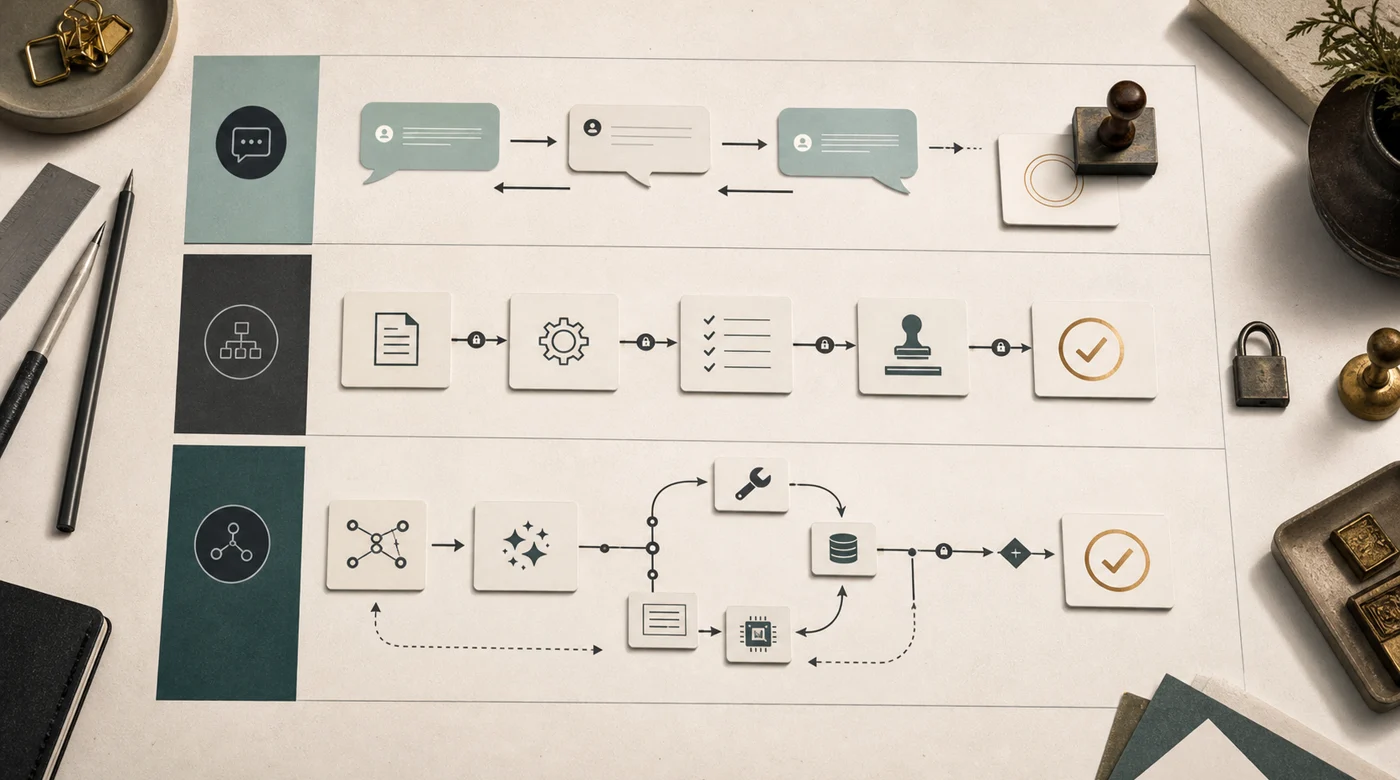
Chatbot, workflow, and AI agent are often used as if they mean the same thing. That is how companies buy the wrong system. Sometimes you need a conversation surface. Sometimes you need a predictable process. Sometimes you need software that can choose the next step, call tools, check results, and stop when the risk is too high.
A chatbot is useful when conversation is the main product surface. The user asks, the bot replies, collects details, and hands the case to a person when needed. For support, FAQ, lead qualification, and internal help desks, this is often enough.
A workflow is better when the path is known in advance. If a request always moves through the same stages, make the process explicit: classify, validate fields, enrich data, write to CRM, notify the owner. A model can sit inside that workflow, but it should not invent the route.
An AI agent is useful when the path is not known upfront. It receives a goal, reads context, chooses from available tools, takes an action, observes the result, and decides what to do next. This is more expensive and riskier, so agency should earn its place.
The rule of thumb is plain. If you can draw the process as a flowchart and all branches are known, start with a workflow. If user input is open-ended but actions are limited, build a chatbot with clear handoff. If the task needs planning, search, retries, tool choice, and judgment about when to stop, then an agent may be the right shape.
The common mistake is calling every GPT bot an agent. A real agent does not only talk. It acts inside systems: searches data, calls APIs, updates CRM, drafts a message, creates a task, checks a tool result, refuses a dangerous step, and leaves logs.
More autonomy means more evals, guardrails, observability, and human-in-the-loop checkpoints. A good agent is not one that never asks for help. A good agent knows when it must stop.
The real difference is autonomy
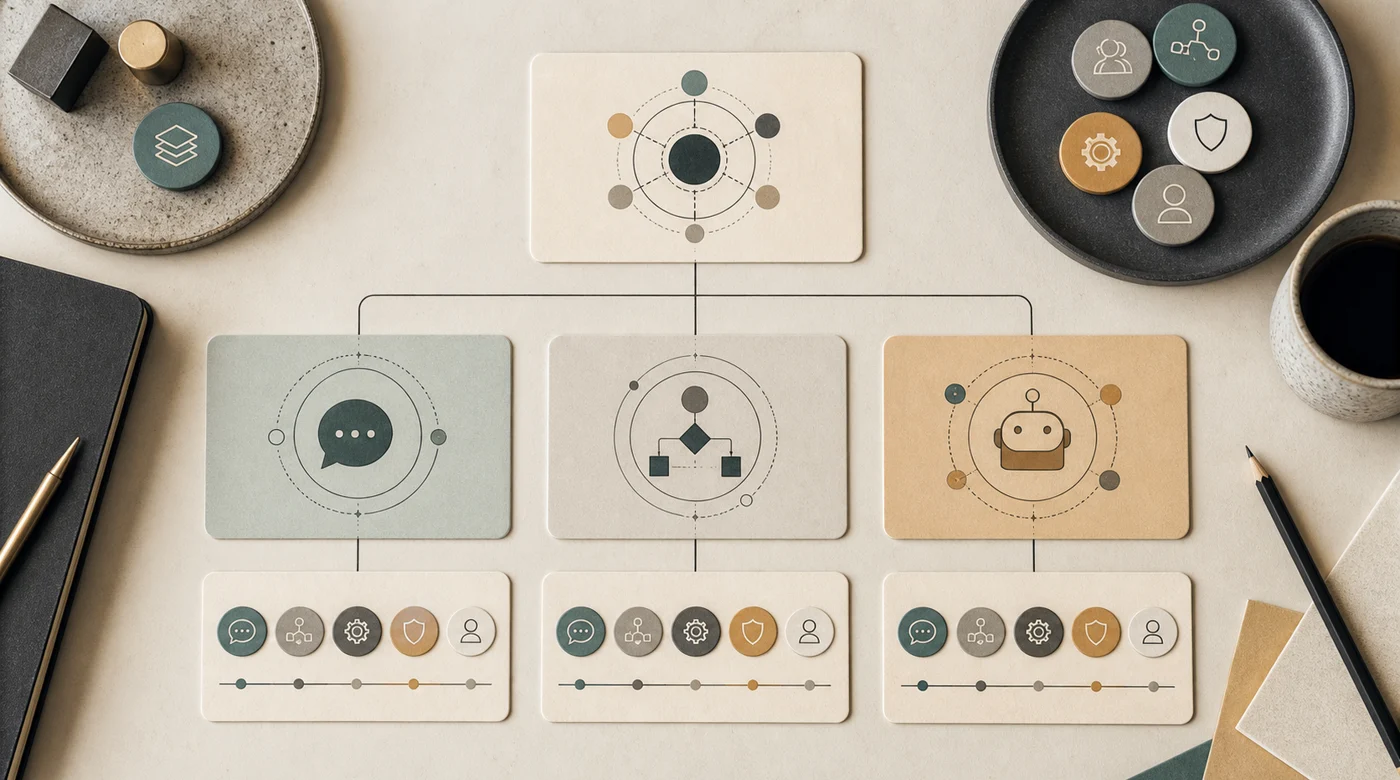
The easiest way to separate the three is to ask one question: who decides the next step?
In a chatbot, the next step is usually the user or the dialog script. The system answers, asks a clarifying question, shows a menu, or escalates. It may use retrieval or a model, but the action boundary is narrow.
In a workflow, the next step is the process definition. A ticket arrives, the system classifies it, applies rules, runs fixed integrations, and routes it. The workflow may call an LLM for one step, such as summarization or extraction, but the path is still designed by humans.
In an agent, the next step is chosen at runtime. The agent has a goal and a tool set. It may search documents, inspect a CRM record, call a pricing API, write a draft, notice missing data, ask the user, or try another route. IBM describes AI agents as systems that can autonomously perform tasks by designing workflows with available tools, while OpenAI's Agents SDK documentation frames agentic applications around context, tools, handoffs, streaming, and tracing.
That does not mean agents are always better. Autonomy is not a feature you add because it sounds modern. It is a responsibility you add when a fixed path is too brittle.
When a chatbot is the right product
A chatbot is a conversation interface. It is the right fit when the main job is to receive messy human language and respond inside a bounded domain.
Good chatbot jobs:
- answer frequent support questions;
- collect missing details before creating a ticket;
- qualify a lead before a sales manager joins;
- help employees find a policy or form;
- route a conversation to the right team;
- translate product or service language into simpler words.
The important word is bounded. A support chatbot should know which topics it covers, where its knowledge comes from, and when it must hand the case to a person. It does not need to plan across five systems if the business need is “answer the question or escalate”.
This is where a lot of companies overbuild. They ask for an agent when they really need a better support entry point: one interface, good retrieval, clean escalation, and a useful transcript for the operator. For many support teams, that is already a valuable AI support implementation.
When a workflow is safer
A workflow is the right shape when the route is known. The business already has a process; it is just slow, manual, or scattered across tools.
For example:
- A WhatsApp request arrives.
- The system extracts name, phone, city, product, and intent.
- It checks whether the phone already exists in CRM.
- It creates or updates the lead.
- It assigns a manager by region and workload.
- It sends a notification.
- It logs missing fields for later follow-up.
There may be AI inside this flow. The extraction step can use a model. The classifier can use a model. The follow-up draft can use a model. But the route itself is not improvised.
This is often the best first version for business automation because it is inspectable. If something goes wrong, you can point to the step. If a manager asks why a lead was assigned, you can show the rule. If the model extracts a bad city, you can fix that step without redesigning the whole system.
For small companies, this connects directly to the approach in How to implement AI in a small business: pick one repeated process, collect examples, and keep the first version narrow.

When an AI agent is worth the extra risk
An agent becomes useful when the workflow cannot be fully drawn in advance.
Imagine a sales assistant that receives a vague message: “The client from yesterday wants the enterprise option but keeps comparing us with the cheaper plan. What should I send?” A fixed workflow can classify and route the message. A chatbot can answer from general policy. An agent can do more: find the lead, read previous notes, check which plan was discussed, inspect discount rules, draft a reply, flag the pricing exception, and ask the manager for approval before sending.
That tool loop is the difference. The agent is not valuable because it has a chat window. It is valuable because it can move through context and systems.
Agents are good candidates when the task needs:
- several possible tools or data sources;
- a goal rather than a fixed command;
- retries after empty or contradictory results;
- decomposition into subtasks;
- judgment about confidence and escalation;
- an action trail that a person can inspect.
This is why modern agent platforms emphasize tools and connectors. Anthropic introduced the Model Context Protocol as a way to connect assistants to systems where data lives. Microsoft describes Copilot agents as software that can automate and execute business or education processes alongside or on behalf of people. The common direction is clear: agents are leaving the chat box and touching real work.
That is also the danger.

The failure modes are different
The three shapes fail in different ways, so they need different protection.
A chatbot can answer too broadly, hallucinate a policy, miss an escalation, or frustrate the user with a dead-end dialog. The damage is usually in the conversation: confusion, bad advice, extra support load, or a customer who gives up.
A workflow can misclassify a request, write bad structured data, skip a required approval, or route a case to the wrong owner. The damage is operational: wrong CRM state, missed SLA, duplicated work, or invisible backlog.
An agent can do both and then add action risk. It can pick the wrong tool, pass the wrong arguments, trust a bad tool result, loop too long, expose data from the wrong source, or take an action that should have required approval.
This is why “AI agent vs chatbot” is not a branding question. The architecture changes the blast radius. A bot that gives a weak answer is annoying. An agent that updates the wrong deal, sends a wrong promise, or reads the wrong document is a production incident.
For retrieval-heavy products, the same distinction appears in How RAG works beyond vector embeddings: if the wrong source was retrieved, the answer is already compromised. For agents, tool choice and retrieved context both become part of the quality surface.

A practical decision matrix
Use this matrix before buying or building anything.
Chatbot
Best when: the user needs a conversational entry point.
Autonomy: low. It answers, asks, retrieves, or escalates.
Risk: bad advice, missed handoff, weak user experience.
Workflow
Best when: the route is known and repeatable.
Autonomy: medium. AI may perform steps, but the process chooses the route.
Risk: bad classification, wrong routing, fragile integration.
AI agent
Best when: the task needs planning, tools, and runtime judgment.
Autonomy: high. It chooses actions within a governed boundary.
Risk: wrong tool use, unsafe action, hidden loop, poor audit trail.
The uncomfortable answer is that many projects need a hybrid. A sales system may use a chatbot as the interface, a workflow for lead routing, and an agent only for the messy cases where the path is unclear. That is usually healthier than making the whole system agentic from day one.
Build autonomy in steps
Autonomy should be earned in layers.
Start with read-only help. The system can answer from approved knowledge, summarize a ticket, or draft a response. A person reviews the result.
Then allow structured preparation. The system can extract fields, suggest tags, prepare a CRM update, or recommend the next step. A person still confirms.
Then allow low-risk writes. The system can create a task, add an internal note, or update a harmless field with clear rollback.
Only after enough evals and logs should you allow high-risk actions: sending messages, changing deal stage, applying discounts, issuing refunds, or making decisions that affect customers or employees.
This ladder is not bureaucracy. It is how a team learns where the system is reliable. It also makes cost more honest. As explained in How much does AI implementation cost in Kazakhstan?, production cost follows responsibility. Drafting text and acting inside a business process are different purchases.

What to test before launch
Chatbots, workflows, and agents all need tests, but the eval set changes with autonomy.
For a chatbot, test whether it answers from approved sources, admits missing information, keeps the right tone, and escalates correctly.
For a workflow, test field extraction, classification, routing, idempotency, failure handling, and integration retries. A workflow should not create duplicate CRM leads because the same message arrived twice.
For an agent, test the action trail:
- Did it choose the right tool?
- Did it pass the right arguments?
- Did it inspect the tool result before continuing?
- Did it stop when required data was missing?
- Did it ask for confirmation before a risky action?
- Did it leave a log a human can understand?
This is the practical side of Why AI projects need evals. Evals make autonomy negotiable. The team can decide: the agent may draft, but not send; may create an internal task, but not update price; may answer from public policy, but not from restricted documents.

How to scope the first version
A useful first scope is narrow enough to inspect.
Bring one workflow, not a strategy deck. Bring real messages, tickets, documents, manager replies, and examples of mistakes. Mark which cases are low risk and which ones need a person. Then decide what the system may do in version one.
Good first versions often look boring:
- support bot that answers from a small knowledge base and escalates cleanly;
- lead intake workflow that extracts fields and creates a manager task;
- HR assistant that answers policy questions with sources but never decides exceptions;
- sales agent that drafts follow-ups and updates internal notes only after approval;
- document assistant that searches and summarizes, but refuses when sources are weak.
The boring shape is a feature. It lets the team see real usage, collect failures, and decide where more autonomy would actually help. Many agent projects fail because they start with “let it handle everything” instead of “let it handle this one painful slice”.

Examples from real business patterns
For support, a chatbot is usually the first useful shape. Customers ask in natural language, the bot retrieves an answer, and the case moves to a person when the topic is sensitive. If support later needs CRM updates, refunds, or multi-step troubleshooting, agentic parts can be added behind the same interface.
For sales, a workflow often comes first. Intake, enrichment, assignment, reminders, and CRM hygiene are repeatable. An agent becomes useful when the next step depends on messy context: previous objections, pricing rules, product fit, and manager approvals. The article AI for sales teams goes deeper into that boundary.
For internal knowledge, the answer depends on retrieval. A simple chatbot can work for FAQ. A RAG assistant is needed when answers must cite policies, documents, and permissions. An agent may help when the user asks a compound question that requires search, comparison, and a follow-up action.
For operations, workflows are underrated. Many “agent” ideas are actually process automation with one AI step. That is not less impressive. It is often more reliable.
Bottom line
Use the smallest system that can responsibly do the job.
Choose a chatbot when conversation is the product surface and the action boundary is narrow. Choose a workflow when the route is known and repeatable. Choose an AI agent only when the task needs runtime judgment, tool choice, retries, and a governed path to action.
The best implementation is often a mix: chatbot for the interface, workflow for the predictable path, agent for the messy exceptions. Start there, measure the failures, and add autonomy only where the evidence says a fixed process is not enough.